

From route plan to report. One workflow for every valve.
Valve Sense does more than measure. Plan inspection routes in advance, guide technicians valve by valve in the field and keep the complete history of every asset in one place.
Plan the route. Walk it. Report it.
Service providers and asset owners inspect hundreds of valves across a site in one campaign. Walking paths turn that campaign into a guided route: prepared in the office, carried out on the intrinsically safe smartphone and closed with a report on the same day.
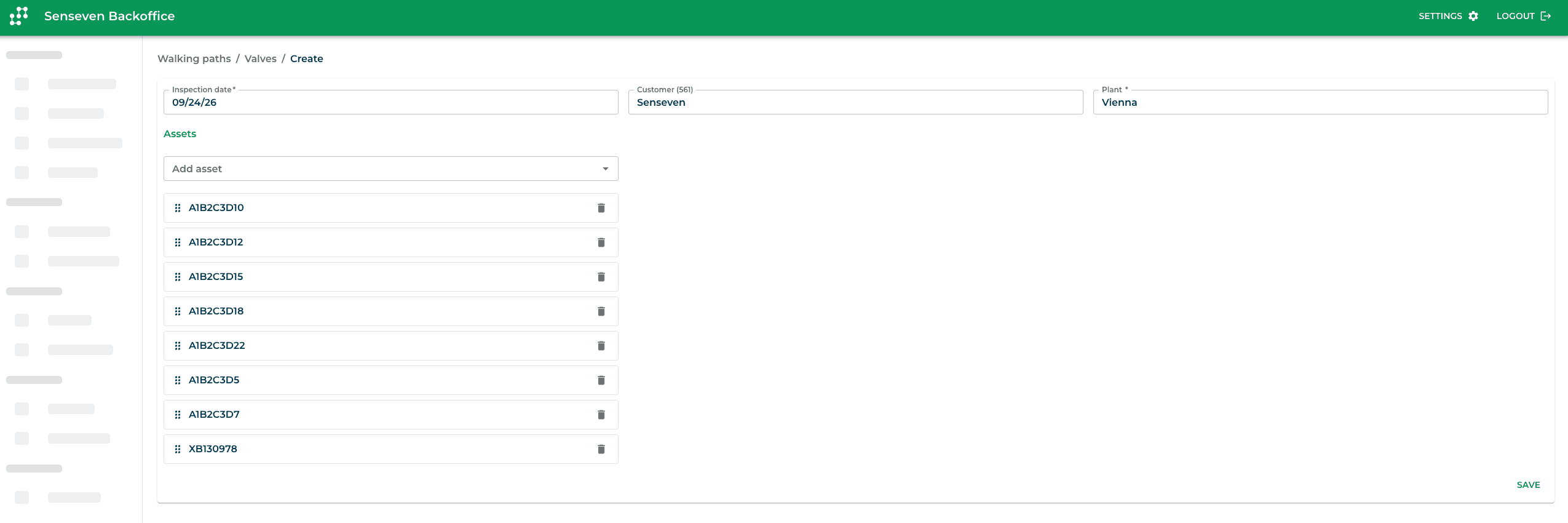
Swipe to see the complete planner and animated route.
Four steps from plan to report.
Plan ahead
Select the assets for a leak detection campaign in the web app or directly on the device, put them in the order you will walk the plant and save the route. All valve data is on the device before anyone leaves the office.
Inspect along the route
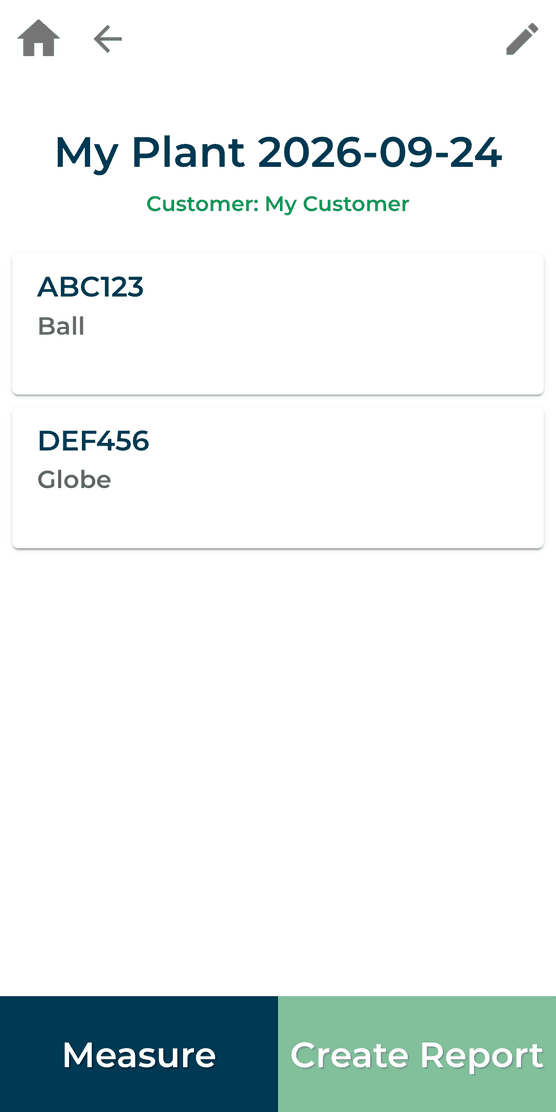
The app guides the technician from one valve to the next. The result and estimated leak rate appear on the device right after each measurement, and route progress stays in view. Every result is saved immediately, nothing has to be entered later.
Skip with a reason
Valve not accessible, insulated or out of operation? Skip it and record why in a few taps. Skipped valves stay documented and are ready for the next round.
Report in one step
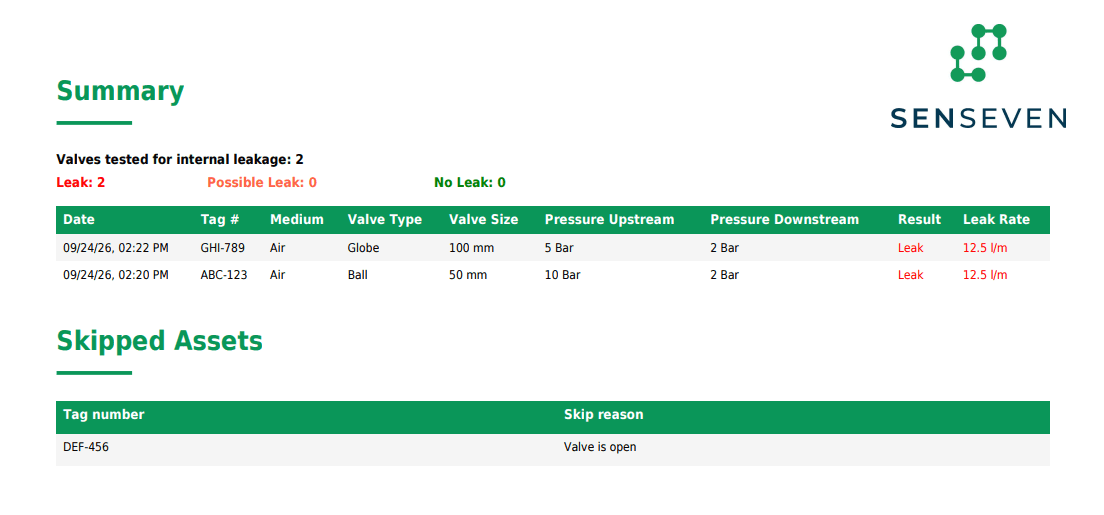
When the route is done, create the inspection report in one step: results, estimated leak rates, skipped valves and their reasons, ready to share with your client.
The next valve stays in view.
The route stays with the technician on the device. Valves appear in walking order, with the next measurement in view. Each result is saved against that asset as soon as the measurement is complete.
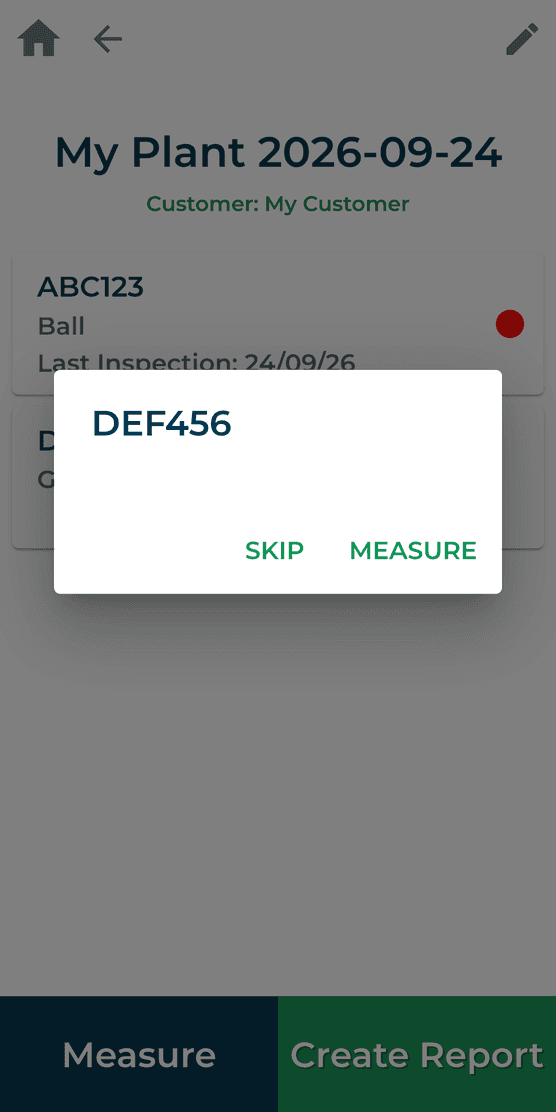
Skipped valves stay documented.
If a valve is open, inaccessible or out of operation, the technician records the reason on the device. The asset remains visible in the route and in the final report.
A report ready when the route is done.
Measured results, estimated leak rates and skipped valves with their reasons come together in one inspection report.
What changes
No paper lists. The route lives on the smartphone, results are never typed up afterwards.
No valve overlooked. Every planned valve is measured or skipped with a reason.
Report on the same day. Your client gets complete results straight after the campaign.
The complete history of every valve.
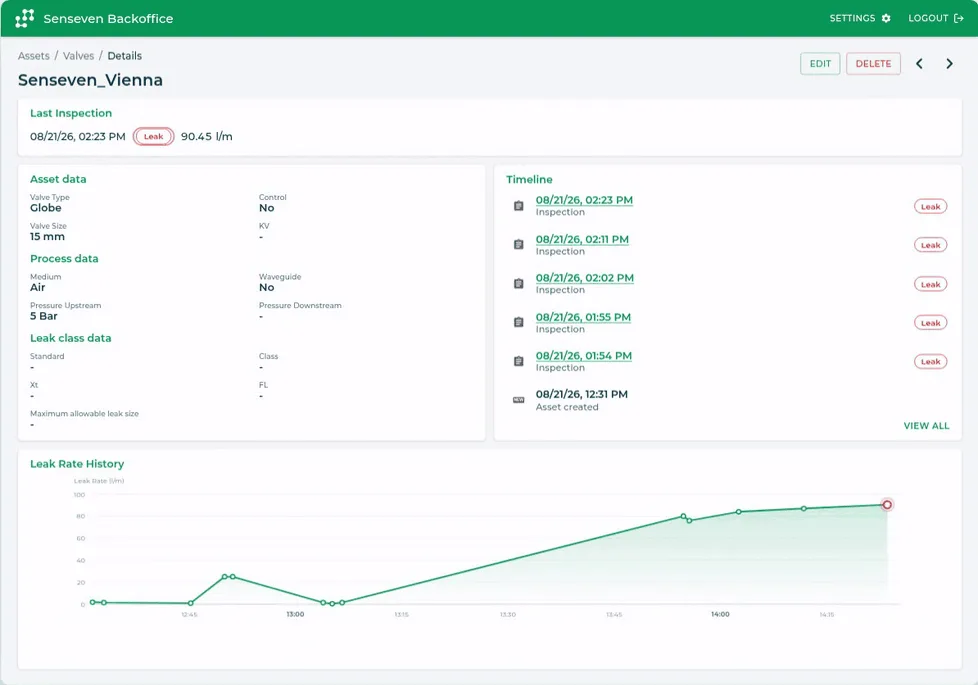
Every valve in Valve Sense has its own record: details, every inspection and every result on one timeline. Decisions about repair or replacement rest on measured data, not on memory.
All asset details
Tag, type, size, pressure class, medium and measuring points in one place, in the office and on site.
Complete inspection history
When the valve was inspected, with which result and whether it was part of a walking path or a single inspection. Skipped inspections are recorded with their reason.
Trends you can act on
Estimated leak rates over time show which valves are getting worse, so repairs can be prioritised and the next shutdown planned.
More than inspections: one record for the whole life cycle of a valve.
Coming soon: document further actions directly on the asset. Everything that happens to a valve, in one place.
Visual inspection
Greasing
Replacement
More actions
See walking paths and asset management in action.
Book a live demo and follow one campaign in Valve Sense, from the route plan to the finished report.